
How to Set Up Your Gaming Chair for Perfect Posture
How to Set Up Your Gaming Chair for Perfect Posture

A well-built gaming chair set up wrong does almost nothing for your posture — most of the ergonomic benefit comes from correct adjustment, not just owning the right chair. This is a practical, six-step setup you can do in under ten minutes, in the order that actually matters.
The 6-Step Setup
Step 1: Seat Height
Sit with feet flat on the floor and knees roughly level with, or very slightly below, your hips. This is the foundation every other adjustment builds on — get it right before touching anything else.
Step 2: Seat Depth
Slide back until your lower back reaches the backrest, and check for a 2–4 finger gap between the front edge of the seat and the back of your knees. Too shallow restricts circulation; too deep leaves your lower back unsupported.
Step 3: Lumbar Support
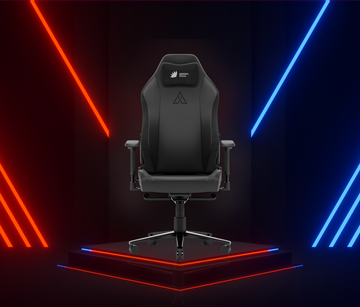
Position the lumbar cushion or adjustable system at the inward curve of your lower back — not your mid-back. On a 4-way adjustable system like the one on the Assassin Neo, move it up/down first, then in/out until it fills the gap without pushing your spine forward.
Step 4: Armrests
Adjust height so your elbows sit at roughly 90°–110° with shoulders relaxed, not hunched up. If your chair has 4D armrests, adjust depth and angle so your forearms rest naturally at your keyboard and mouse without reaching forward.
Step 5: Recline
For focused work or competitive gaming, lock the recline near-upright (95°–110°). Save deeper recline (140°+) deliberately for breaks — using it as your default working posture undercuts the point of the lumbar setup you just did.
Step 6: Monitor Position
With your chair now correctly set, position your monitor so the top of the screen is at or slightly below eye level, roughly an arm's length away. This is the step most people skip, and it's what causes forward head lean even in a perfectly adjusted chair.

Why Order Matters
Adjusting armrests before seat height, for example, means you'll likely reposition them again once your seat height changes — wasting the adjustment. Working top-down (seat first, monitor last) means each step is set against a stable baseline instead of a moving target.
Quick Posture Check (Do This Weekly)
- Ears roughly stacked over shoulders, not jutting forward
- Shoulders relaxed, not raised toward your ears
- Lower back supported, not rounded or arched
- Feet flat on the floor or a footrest, not dangling or flexed
- You're changing position or standing at least once an hour
FAQs
Rarely, once set correctly — but re-check after any change in desk, monitor position, or noticeable new discomfort, since small shifts compound over weeks.
Most competitive players keep the chair near-upright (95°-110°) for control and reaction time, saving deeper recline for casual sessions or breaks.
Use a footrest to support your feet rather than leaving them dangling, which pinches circulation behind the knees. See our sizing guide if this happens consistently across chairs — it may mean you need a different seat depth, not just a footrest.
Related Guides
- Does a Gaming Chair Help With Back Pain?
- How to Choose the Right Gaming Chair: Complete Buying Guide
- Best Gaming Chairs for Tall Users in India
Still deciding on a chair?
Want the most adjustable lumbar and headrest for a precise setup: go with the Assassin Neo.
Want a solid adjustable option on a budget: go with the Blade.
Find a chair with the adjustability this setup needs.
Shop Gaming Chairs